Estimate Measurements Using an Object Image
musdb’s ongoing re-design comes with large architectural changes - and with that, it will be much more effortless to add and position new features. One such feature is the automatic calculation of an object’s width and height based on an object image and the knowledge of the DPI settings used during the creation of the image.
This comes with a number of caveats. First, a reliable and usable DPI number is only available for scanned images, where there is no zoom and the maximum scanned area is always the same. Regular object photography with flexible zoom and positioning vis-a-vis the object on the other hand makes DPI numbers practically meaningless.
Second, it can only work if musdb has access to a full-size version of the image.
Third, objects often have fuzzy edges (e.g. ripped out pages or historical photography with water damage) and, if scanned, are often presented with some margin between the edges of the image and the edges of the displayed object.
The first two limitations depend on the object and user input. Whether the object and the image are suitable for automatic measuring under these conditions is something users themselves know best. From a development side it simply means that the feature needs to be optional and bound to a user request. The third caveat means that the edges of the object need to be identified automatically to get accurate measurements, as measuring the displayed area including margins would provide inaccurate results. As with any automation, the preliminary results of the automatic cropping should be made transparent to users, so that its accuracy can be verified.
Automatic taking of measurements in practice
Now, how does that look like in practice?
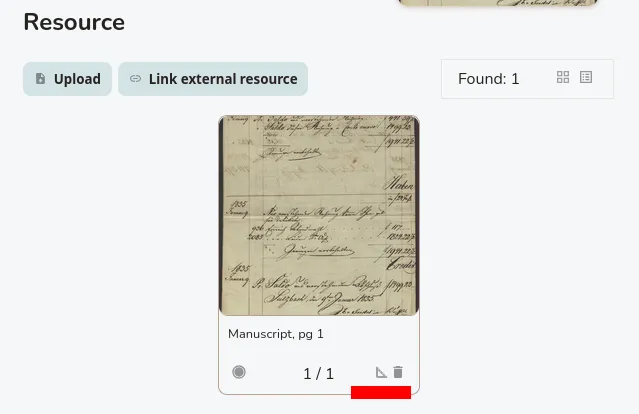
Navigating to an object’s “resource” tab in musdb, a new measuring symbol is now displayed in the tiles of each image. By clicking the symbol relevant to a single object image, the user defines which exact image should be used for calculating the measurements.
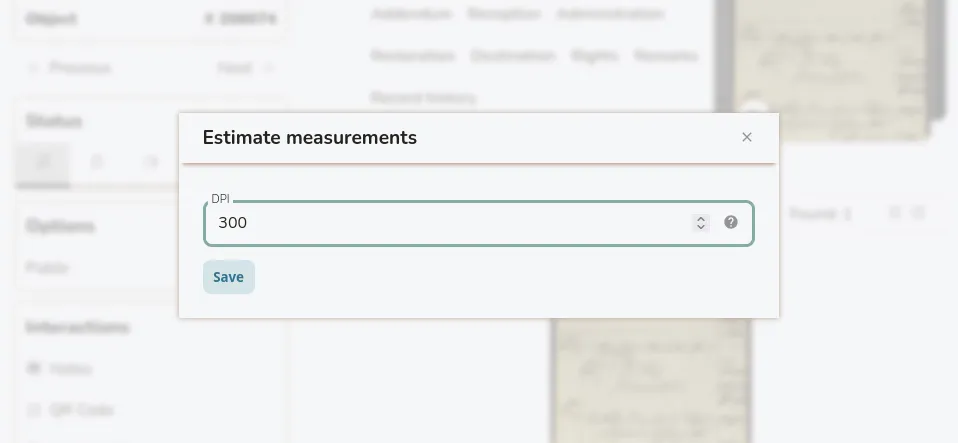
Next, a dialogue opens, where the user is first requested to enter the expected DPI number. Based on the selected image and the DPI number, the server then calculates the expected width and height of the object in both pixels and centimeters. The dialogue displays those with an object to submit them as measurement entries along with a preview of the identified section of the image that was used to process the calculation.
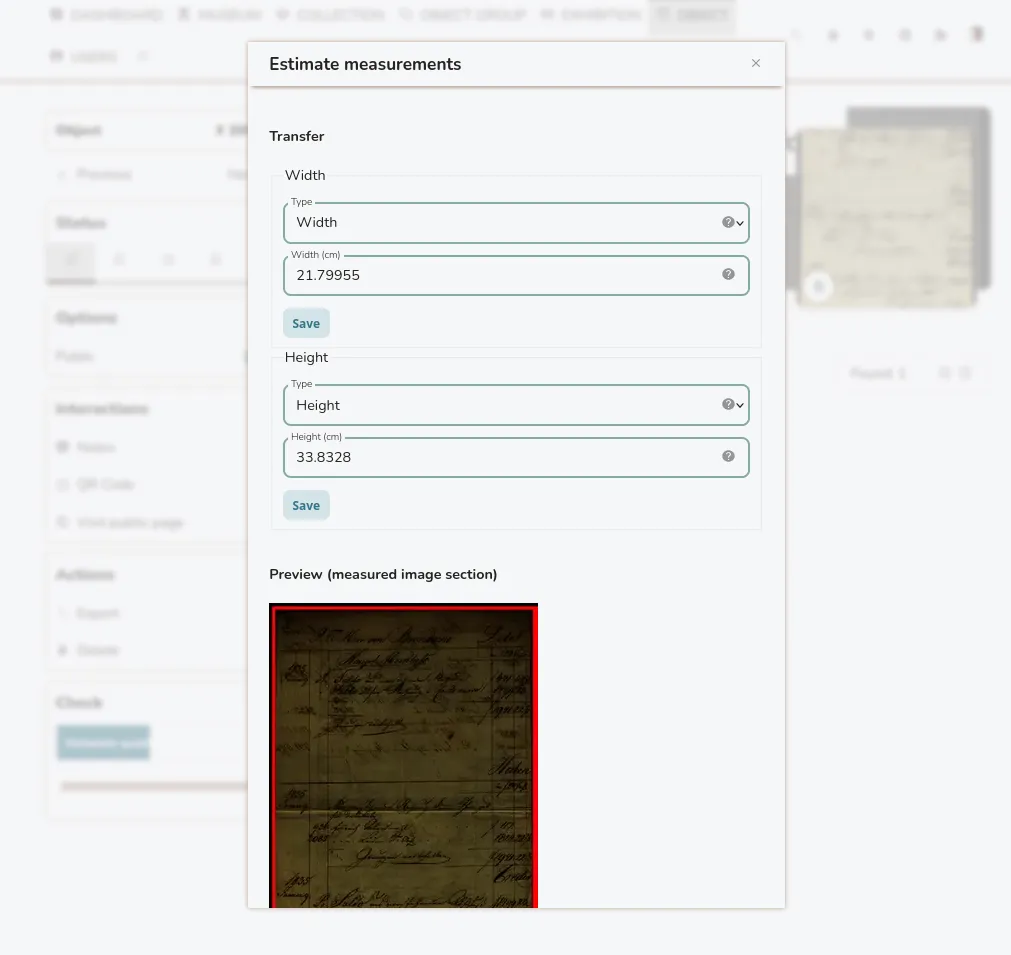
The same data is available using the API at the /object/estimate_measurements_by_image/{id} endpoint. The preview image is provided as a base65-encoded string, encoding a webp image.
Finally, the automatic measuring can also be used as part of import tool’s ImageByInvno parser. Setting the setting measure_dpi to a value larger than 0 enables the automatic taking of measurements. If that is the case, the first linked image of an object will be used for the calculation. Parts of file names can however be used to identify images that should be excluded and skipped - e.g. cover sheets - using the measure_exclude parameter.
Post image generated using Anima Base v1.0.
This content is licensed under a Creative Commons Attribution 4.0 International license.