
December 2025 was an interesting month for museum-digital. An update to the PHP version used as well as a flood of requests by what is most likely AI scrapers forced us to make changes for improved stability, reducing and reformulating features rather than adding new ones and working on matters of systems administration over purely matters of code quite often. Add to that the long-promised update of the terms of use for German museums to more structured and lawyer-approved ones, and you get yet more small changes that do not directly concern the work of museums with museum-digital but rather improve the necessary context.
musdb
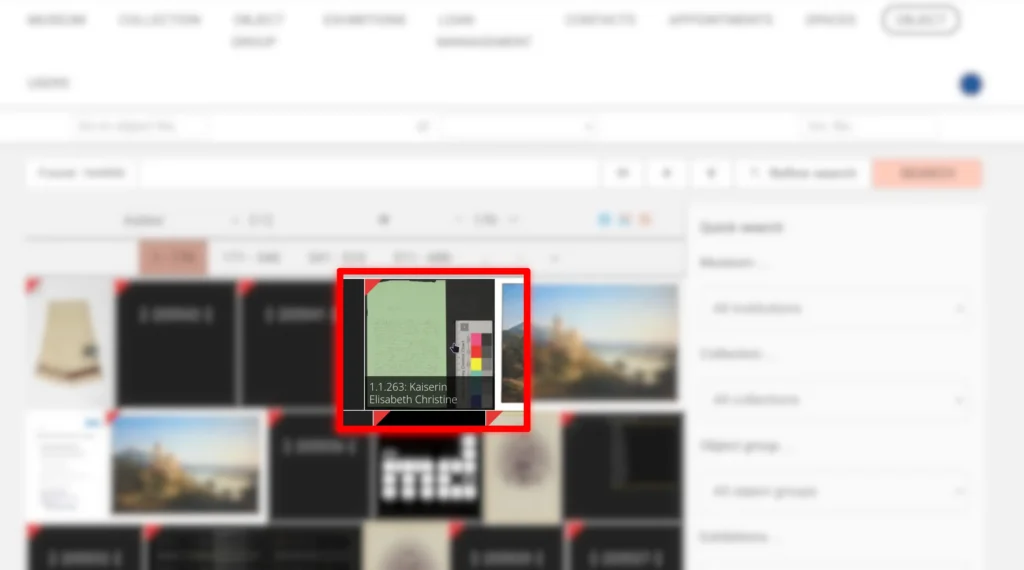
Object overview
In the default tile view of the object overview page, hovering over an object image thus far revealed the object’s name. As object names are often too long to display fully and inventory numbers are the primary means of identifying an object in most museums, this preview text has now been extended to include the inventory numer.
User management
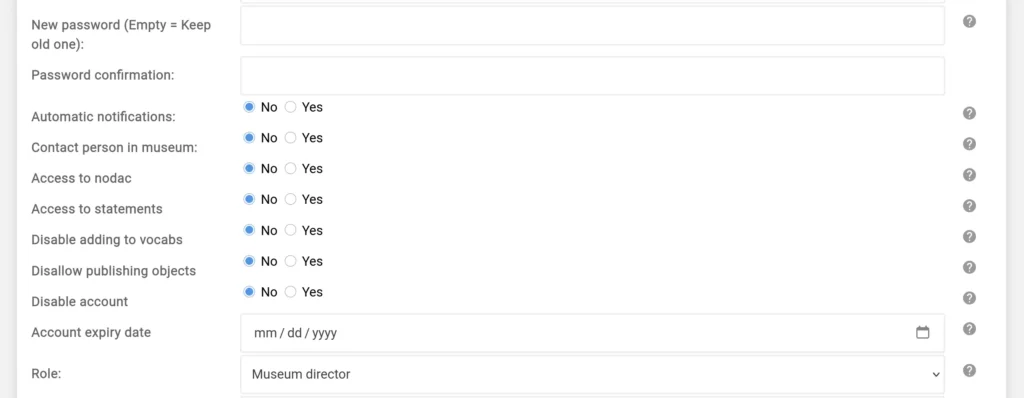
New Options for Managing User Accounts: Disabling Accounts & Setting Account Expiry Dates
Two new options on user editing pages allow disabling logins on an account and setting an expiry date for the account. Both can be useful for administration: If a new worker joins the museum for a project with a clear-cut limitation on funding and time, one can now set the account expiry at the beginning of the project to the end of it. The accounts will then automatically be deleted when the project ends. Similarly, colleagues that leave service temporarily but for a prolonged time (e.g. for a sabbatical) and will not need to use their accounts for that time can have their accounts disabled.
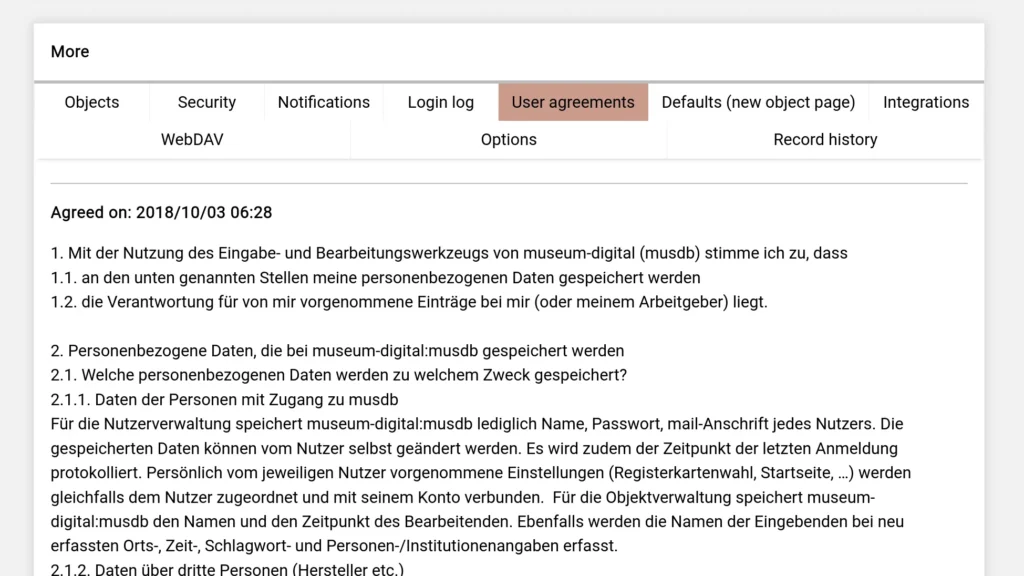
List of Terms of Use
A new tab on a user’s (own) account settings page provides the option to list all usage agreements / terms of use a user has agreed to in the context of their use of museum-digital / musdb and when they agreed to them.
Imports
Limiting Report Mail Size
When a user runs imports themselves using the WebDAV upload, the end of the import process – no matter if it is successful or fails – is marked by the sending of a report via mail. This report usually contains a list of noteworthy operations that happened during the import, e.g. which objects of which inventory number were imported to which object in musdb, identified by its ID. As imports grow, this list of operation grows. To not encounter issues sending the report, it is henceforth limited to a maximum of 2 MB or 10000 lines.
Dry-run Mode
Sometimes it is useful to try running an import to see if it will actually work but not actually process any data. This option has been available in the importer command line interface for a while, among others powering museum-digital:qa. It is now available in the import configuration for self-run imports as well using the setting dry-run. Enabling the setting accordingly stops the importer from actually writing the data into the database and changes the behavior if values that need to be mapped to values in controlled lists at museum-digital are encountered. Usually an import stops the moment such data is to be imported and not yet mapped. During a dry run, the error is collected and the import proceeds. All unmapped entries are listed together at the end of the import, allowing for a simpler mapping (possibly aided by concordance.museum-digital.org).
Dashboard
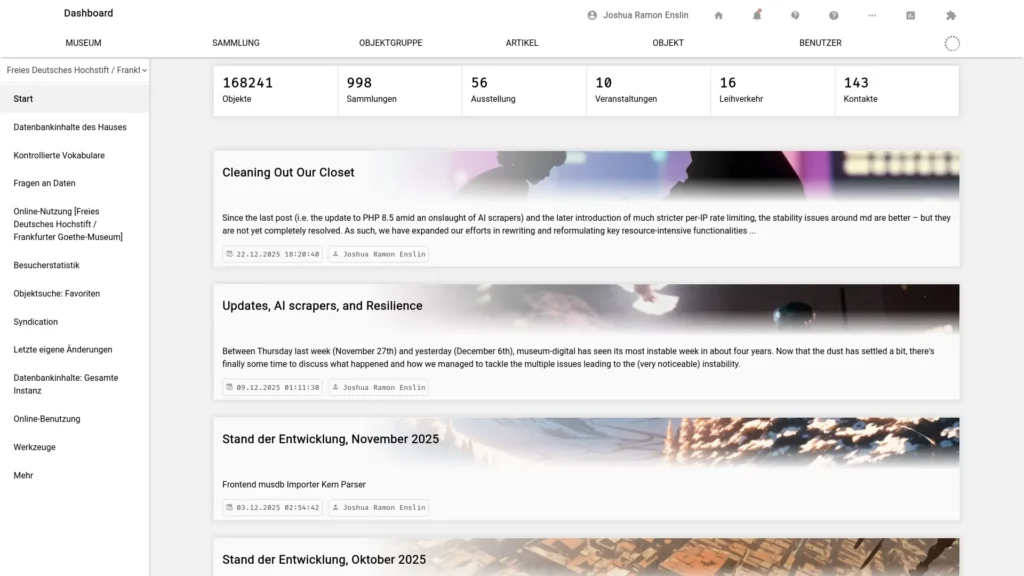
The first page of the dashboard, which for almost all users also means the start page of musdb right after the login process, was significantly reworked during the last month. The almost entirely unused notetaking features and discourse integration were removed in favor of a feed of recent blog posts. See also the section “Communications” in the respective blog post.
Annotations for the Vocabulary Editing Team
Each event, displayed as a tile on object editing pages, featured speech bubble icons behind each time / actor / place to provide additional comments and hints for the central vocabulary editing team. This positioning of the annotation feature led to confusion over the years, with some users using the feature to comment on the relationship between the entity and the object (for which the event notes should be used). We hence repositioned the links and moved them to the respective entity’s page (e.g. a place page for giving hints and comments on a place entry). The hinting / commenting feature for times has been altogether removed, as providing comments to clarify the meaning of e.g. a year never made much sense.
Smaller Updates and Bugfixes
- Fixed a bug in the HTML generated for listing other objects linked to an object. Links to the other object were broken and are not anymore.
- Image editing pages now embed the image directly instead of using the IIIF API. This reduces resource usage and increases stability at no cost.
- Removed option to manually trigger the rewriting of EXIF and IPTC metadata of object images. Rewriting takes place in the background whenever an image or a linked object is updated, making user-triggered updates obsolete.
- Re-introduce option to repeat linking to the last used linked object
- Updated Swagger UI to version 5.30.3
Frontend
As stated above and lengthily described in the previous blog posts (here, here, and here) we struggled with stability over the last month. This means that most changes in the frontend are aimed at improving stability.
Reworked Default Image Page
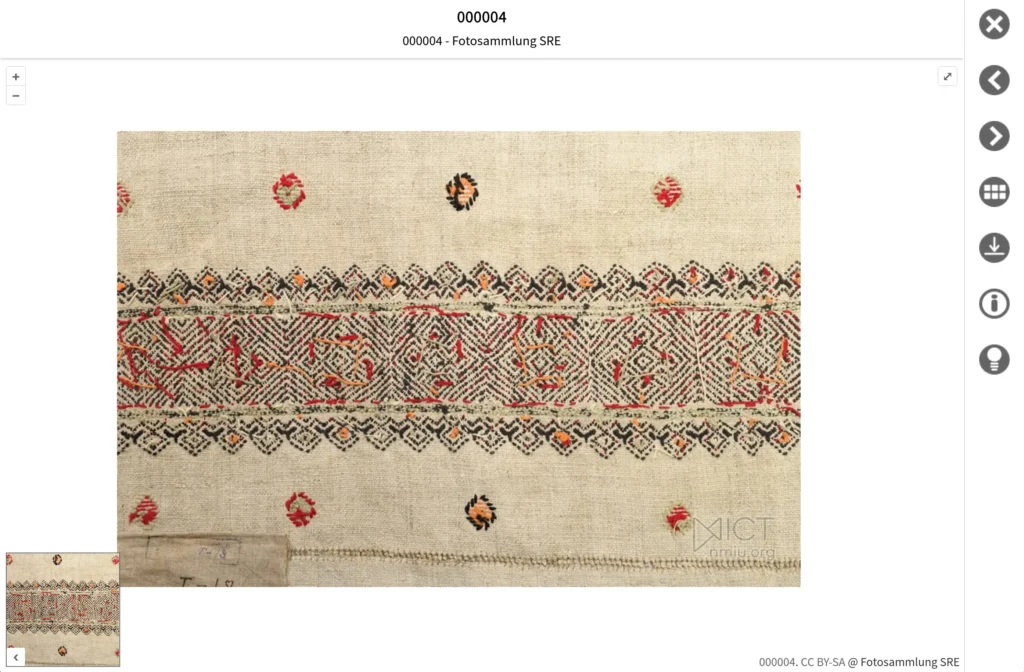
Thoroughly described in Updates, AI scrapers, and Resilience, we replaced the default view for single object image pages. While the default view was previously built around the IIIF viewer Mirador, the new default view uses OpenLayers and the unmediated image file for capabilities such as zooming. The new view also brings with it some new features, such as an option to reference specific sections of an image.
Serving Resource-Intensive Pages / Functionalities Only When Resources Are Available
PDF generation, the IIIF Image API, and the suggestions for alternative search queries on failed search pages are now limited to reduce their impact on the overall system stability. This follows two strategies:
- Suggestions on failed search pages and PDF generation will only appear if the overall load on the system is low. The threshold for when or when they are not provided is influenced by the user’s browser language: If a user uses a browser set to the primary language of a given instance of museum-digital (e.g. German in Hesse, Hungarian in Budapest), the threshold is much higher, meaning users will be able to access the pages at a medium server load. In the case of PDFs, high server load will forward users to the print dialogue for object pages instead of receiving a PDF generated on the server side.
- PDF generation and the IIIF Image API are served with a different PHP configuration and set of processes than the rest of the frontend. This configuration significantly reduces available resources for these two functionalities.
- The option to generate PDFs featuring all images of an object with between 10 and 40 images has been entirely removed. Given its constraints, the feature was hard to explain and rarely accessible anyway. The primary “users” were noticeably AI scrapers.
Image Search
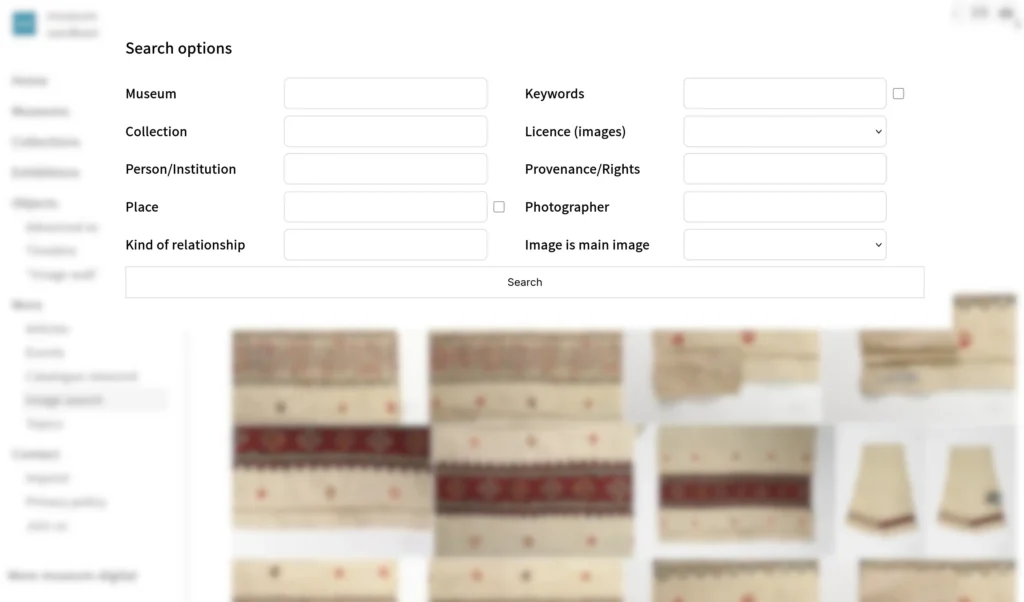
The image search feature was refactored and reduced to further separate it from the primary object search. The number of available search options has been reduced to be more easily explainable and reduce possibilities for very resource-intensive queries.
Batch Export of Object Metadata / OAI
Updated the LIDO API to almost entirely match the LIDO as generated during exports from musdb
Smaller Updates and Bugfixes
- Improved performance of object search by tags and places by filtering searched entities to those who are actually linked in the given instance of museum-digital.
- Object groups with only one object are henceforth not displayed and linked on object pages anymore
- Fixed link in footer: Clicking on “museum-digital” should lead to the home / start page of the given instance of musdb.
- Updated Swagger UI to version 5.30.3
nodac
- User-provided comments / hints have been removed for times (see above)
- Tooltips for linked objects now display which institution an object belongs to
- This is particularly important for vocabulary editors who do not have access to the museums’ data. This way they get a limited preview with the required information for unpublished objects despite their otherwise lacking permissions.